Building a SmartHome
~9 min read
Jump to end ↓
What makes a home smart? I would venture some remote controlled switches, RGB light bulbs and a ZigBee hub.
In this blog, we are going to speak around 90% of the time on how to turn-on lights. Reader be advised, it is a bit vain.
Why
I was at the place of someone I esteem a lot and was shocked, surprised and very curious about all the different type of lights there was. I remember vividly of the bathroom particularly, where a light was there, happily drawing cool patterns on the walls. I even got mockery when I said to my host I had nothing equivalent back home (not a way to treat a guest but I let it slide for this time). Since this day, I swore revenge and here I am, buying a bunch of electronics to fill a gap in my life I did not know I had.
The Light Bulb
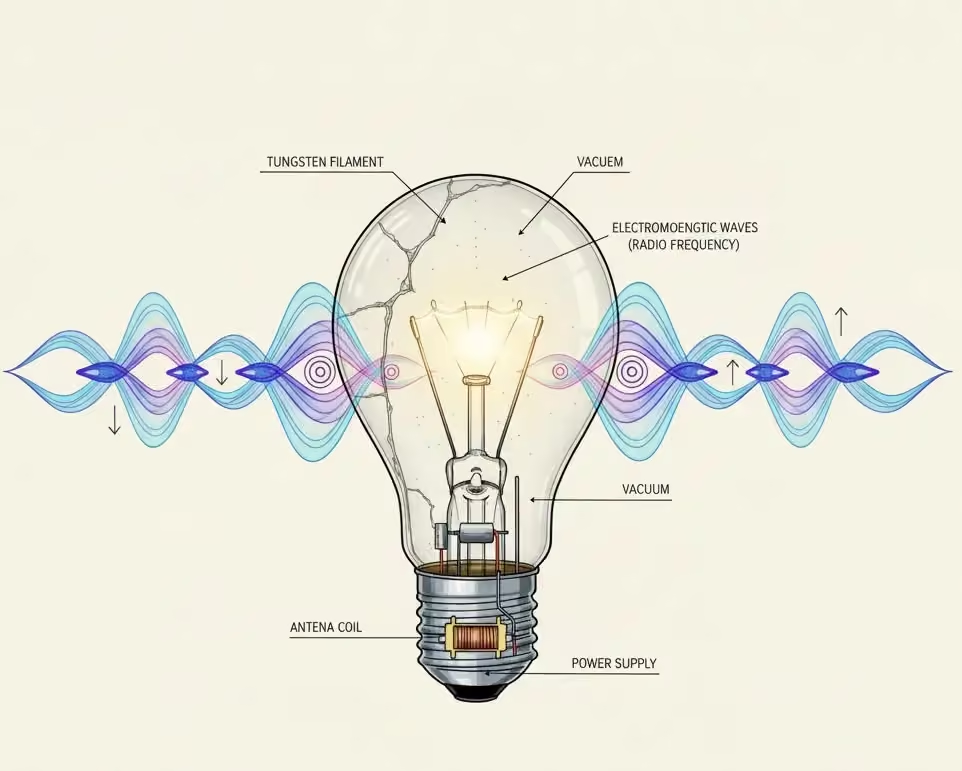
The AI generated picture I used for this article’s cover is so bad ( generated with the Banana model), I could not pass on it. Everything is wrong. Even if we use the word light bulb nowadays, filament and vacuum sealed bulb have been replaced by LEDs (many of them). Those device consumes way less current and allow us to have programmable colours; usually with 3 independent LEDs of red, green and blue colours (RGB).
The base of the bulb is where the “smart” comes from. You should find a simple PCB and a power unit for the electronics. In those devices, the antenna is usually printed on the PCB itself. It does not looks like a coil, more like a little trail on a flat surface.
This website made a fun teardown of a bulb so you can sense what the electronics looks like.
Finally, electromagnetic waves (noticed how it is misspelled), do not look like that. The bulb would emit waves, from the LED itself (light is an electromagnetic wave), and from the wireless transceiver at the base: both on very different frequency band. It does not really matter, just keep in mind that what makes it smart is not the bulb itself, but because it can communicate and be programmed, a brain can control it.
Open Ecosystem
This is a good definition of a smart home: it is a network of sensors, actuators and devices that can feed and be controlled by a central system or brain.
The first choice in a new installation is to pick the brain, or its brand. There are a lot of players in the SmartHome business, most of them wanting you to stay captive of their ecosystem. The most famous are Philips Hue, Glovee, Ikea, Xiaomi. It is a big business. The most common advice you will read on the Internet, is to pick one of those and stick with it. Because of this, I believe, some strong players particularly pad their margin and sell their products on the steep end of the dollar (looking at you Philips Hue).
As you may guess, I am not a fan of that and I am ready to tinker to be able to mix and match. Turns out, it is not even that hard.
I stumbled upon HomeAssistant. It is an open source home automation center. Because it has no particular vested interest in any of the mentioned proprietary solutions, it can link and interface with a lot of them. It is a pure alternative of Apple HomeKit or Google Home (or even Alexa). It does have a proprietary solution to interface with those systems, but it is not the main goal. If you want to integrate with Apple directly, HomeBridge is maybe what you want more.
HomeAssistant
HomeAssistant belongs to this new trend of software that does not want to be installed. Indeed, you will have to pick between the OS (an ISO with everything bundled) or a docker image. It seems as an industry we have given-up understanding dependency management. Instead of trying to understand, we just use a full OS to deploy a simple server.
I did try to build it manually and it is indeed a nightmare. Because it seems that the smarthome business relies completely on Python. This language has one of the least optimal dependency management on the planet. It is in big part due because it incorporates a lot of native libraries, that are usually built on the fly when installing them. From there, a lot of subtle things can go wrong and it is why they also ship their unit test. And those tests, of course will fail cryptically. It is completely hopeless and very uninteresting to debug those issues.
I went with the Docker container. It was a perfect excuse to replace my Docker install with Podman. It is a newcomer, I think gaining a lot of traction because it is less corporate business in your face than Docker and it seems to integrate well with Kubernetes. I have no real idea on its own technical merit though. I can still use LazyDocker because Podman has a compatible interface with Docker. From there, the software boots in seconds. For people that cannot be bothered, the developers of HomeAssistant sells pre-packaged, pre-installed mini pc board with everything you need.
HomeAssistant supports a lot of wireless protocol. The most two common in home automation are ZigBee and Wifi.
It also has IPhone and Android app. You can also do everything through the web portal.
ZigBee
Zigbee is a wireless communication protocol. It is low-power and cheap to implement. I have a lot of experience with this protocol. I spent 5 months, back in college, tinkering and experimenting for Alstom. The idea was to integrate wireless sensors into trains. Usually, if you go wireless, particularly in a train, it also means you want to run on battery. If you have a cable for power, you certainly also have a cable for networking. ZigBee in this context makes a lot of sense, you can run it on simple 8-bit microcontrollers (cheap and simple) and so you can spend a microcontroller dedicated to a temperature sensor for example, both powered by a little battery that last forever.
ZigBee most of the time runs on 2.4GHz (but can run on others bands), same as Wifi or Bluetooth. This band-wave is free world-wild, so no problem of regulation by using those devices, and it is a good mix of bandwidth, and overall reach. You can expect indoor more than 10 meters of range and being able to go through walls. Also it is relatively modern, it means it has embed encryption.
But this is only a small part of why this protocol is awesome. The networking stack allows for partial mesh configuration. It means that most devices are able to relay / repeat data to reach a further situated device. You know this problem very well with Wifi, your computer or TV are too far from your modem and you have to install repeaters. Most ZigBee devices can act as repeaters by default. It is also why this protocol was considered to work in trains, from the tail to the top, and it doesn’t even need to be preconfigured, it has a dynamic routing protocol. It is in part why I love peer-to-peer so much, the field of application is immense.
Devices
Even if HomeAssistant understand the ZigBee protocol, I still need an antenna! As for Wifi or Bluetooth, the server needs to have the hardware. I ordered the Sonoff ZigBee USB dongle. It is based on a famous Texas Intruments chip that has driver support in Linux. I had immense problems making it work initially. It was because I needed a reboot to install a new kernel. For some reasons, when an install is pending on Arch Linux, it unloads most kernel modules. When running a container, you also need to expose the USB interface to the container. Podman allows to run rootless container, which forces you to fine tune access rights to those tty. I learned about /dev/serial/by-id/ folder. I had no idea. It is a special folder that create symlink automatically from the device name to the port, kind of a DNS for hardware. Indeed, serial ports have no guarantees to remain stable, as it depends of boot order.
Then I bought a mix and match of Ikea TRÅDFRI and Philips Hue. They both use ZigBee as a protocol and are extremely easy to pair. I had zero issue with pairing devices. Just do them, one-by-one. I have a lamp that takes 2 bulbs for example, it would not work with both bulb plugged, but doing it one-by-one worked.
I bought 3 types of device:
- Light bulb: you can control the intensity, the colour, the state (on/off).
- Switch: you turn them on/off. Usually you want to control with it things that are not smart (see automation). It also capture the power consumption of the devices plugged to it.
- Plant probes: you want to measure the soil humidity and temperature.
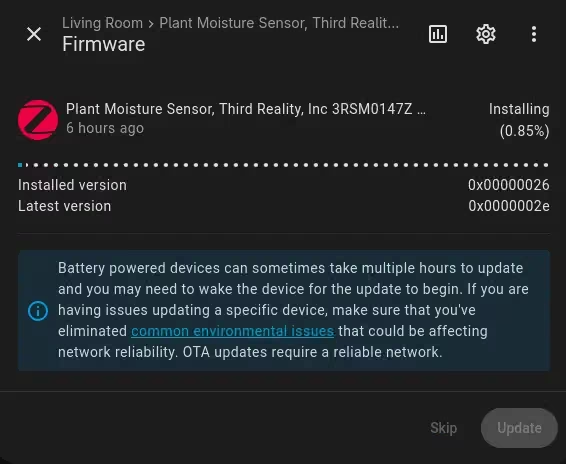
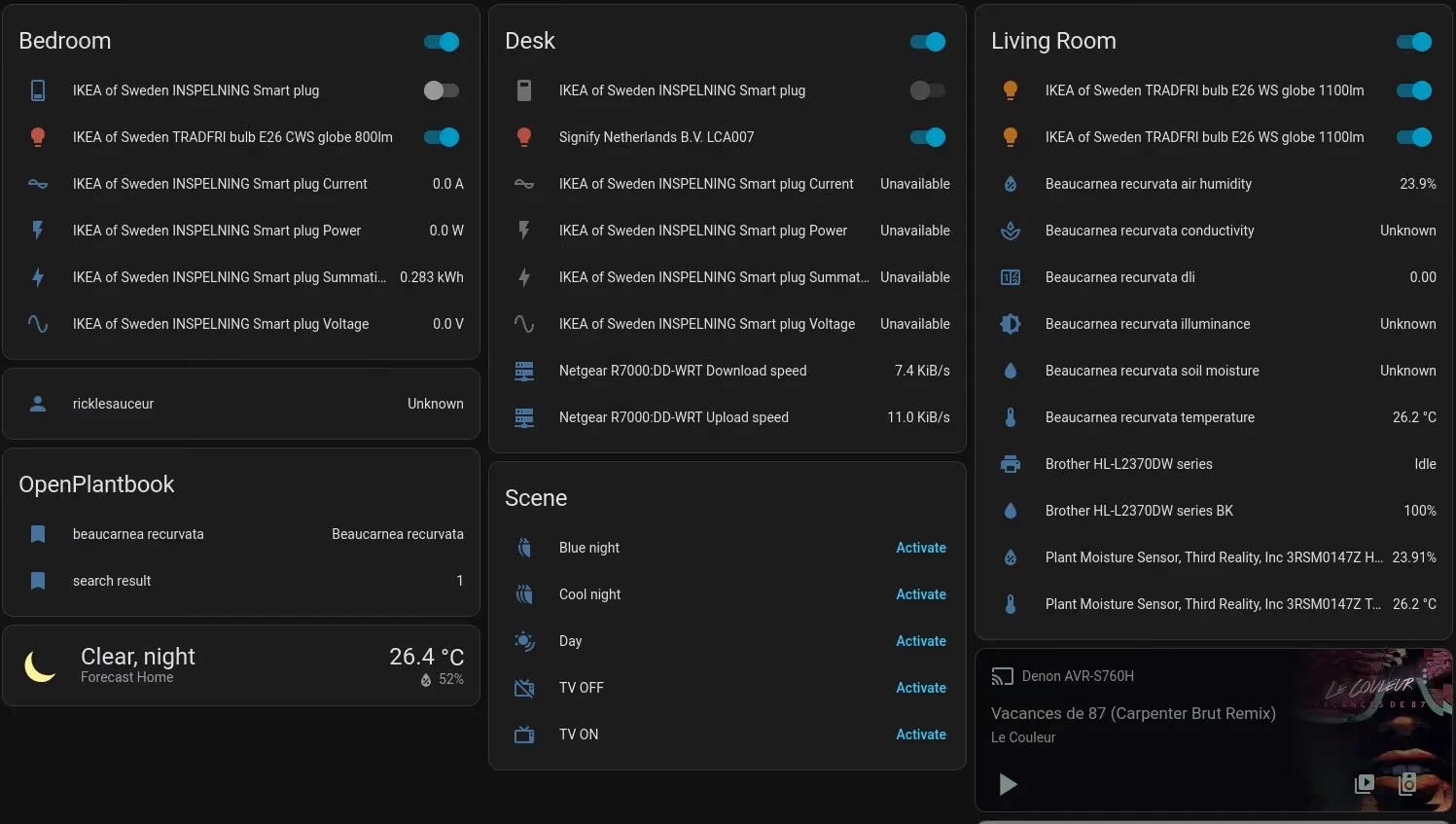
Funny enough, my printer, my router and my audio transceiver were automatically discovered and exposing some data (like the fill percentage of my printer’s toner). Also, ZigBee supports over-the-air update (OTA) and it is excellent. HomeAssistant will keep track of those and help you to keep everything updated.
Automation
If you want to automate, you need data. It is what the sensors are for. For example you could imagine controlling a watering system when the soil humidity goes too low, or opening / closing blinds based on the luminosity level.
There are a lot of application in security with camera and movement detector. I do use movement detector for controlling some lights, but it can goes very far of course.
There is also the concept of scenes:
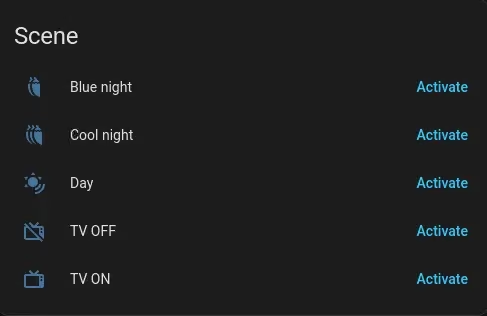
Most of them are just controlling the lights of my place, giving me different vibes depending of my mood (in one click I turn everything dim).
The most interesting is the TV. Indeed, I had the same Sony Bravia TV for the past 10 years (I am cheap). It is coming from France, so it runs on 220V, and I am currently in the States (110V). So I need to use a power transformer to convert 110V to 220V. On top of that, I have a sound system connected to it, a Denon with 2 speakers.
What I did not know but is excellent, out-of-the-box, the Denon transceiver is recognized by HomeAssistant. I can turn it on/off, change the volume, channel, anything through the app.
When I turn-on the TV through this scene, it starts by booting up the Denon, putting it on the Game HDMI channel. Then it turns on a smart switch connected to the power transformer that will turn-on the TV. On top, it also activates a cool light setup adapted to watch the tele.
Conclusion
There are still a lot to be said. I am currently exploring automating my plants. That will certainly be a next blog post.
For roughly 200 bucks (not counting the price of the server I had already), you get a bunch of new toy to experiment with. With this new possibility, I get random new ideas. I think it is how it works.
You do not realize the potential until you can start tinkering and make it your own, will do it again.